


Why Nonprofits Struggle With Limited Staff Capacity: 7 Hidden Costs That Are Holding Your Organization Back

💬 From One Business Owner to Another
👉 “I see this all the time with nonprofits I work with—marketing becomes something that gets pushed to the side, not because it’s not important, but because there’s just not enough time or people to support it.”
👉 “And when marketing isn’t consistent, it’s not because you’re not trying—it’s because the structure isn’t there to support it.”
Key Takeaways
Limited staff capacity in nonprofits is rarely about effort—it’s about lack of systems and structure
Inconsistent marketing and missed opportunities are major hidden costs
Burnout and inefficiency often stem from constant task switching and unclear priorities
Most nonprofits try to fix the problem by doing more instead of simplifying
Systems, templates, and prioritization are the real solutions
Small teams can grow successfully with the right strategy and processes
Table of Contents
Why Limited Staff Capacity Is a Major Challenge
The Hidden Reality Behind Time Constraints
7 Hidden Costs of Limited Staff Capacity
Why Nonprofit Marketing Feels Especially Hard With a Small Team
The Real Problem: Lack of Systems, Not Lack of Effort
How Limited Staff Capacity Impacts Growth and Visibility
Signs Your Nonprofit Is Struggling With Capacity
What Most Nonprofits Get Wrong About Fixing This Problem
What Actually Helps: A Shift Toward Simplicity and Systems
How to Build Systems That Actually Work for Small Nonprofit Teams
A Practical Example: Before vs After Systems
How to Prioritize When Everything Feels Important
The Role of Leadership in Solving Capacity Challenges
Tools That Support Systems (Without Adding Overwhelm)
How to Measure Improvement Without Adding Extra Work
How This Connects to Your Overall Digital Strategy
Conclusion: It’s Not About Doing More—It’s About Doing What Works
📌Why Limited Staff Capacity Is One of the Biggest Challenges Nonprofits Face
If you’re running or working in a nonprofit, you’ve probably felt it—that constant pressure of trying to do everything with limited time, people, and resources.
You’re not alone.
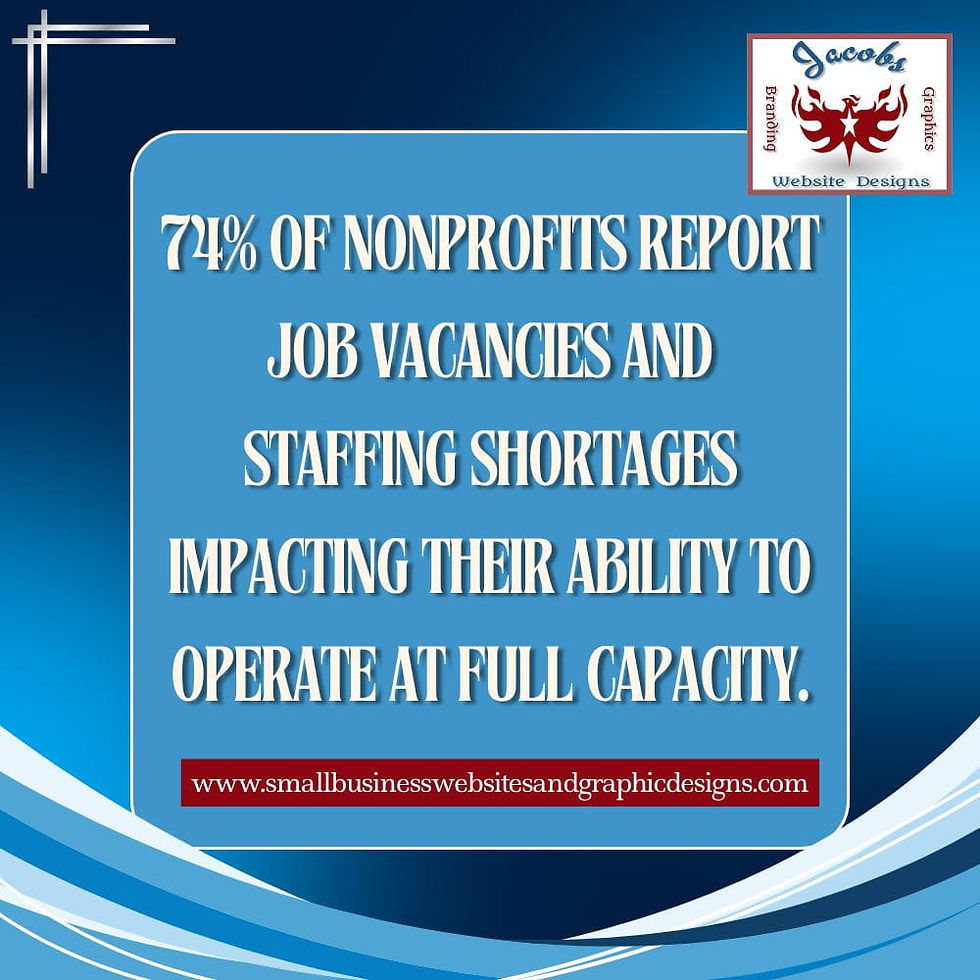
According to the National Council of Nonprofits, over 70% of nonprofits report staffing and capacity challenges as one of their top operational issues. That’s not a small problem—it’s an industry-wide reality.
But here’s the important part:
👉 It’s not because nonprofits aren’t working hard enough.
👉 It’s because the structure supporting that work is often missing.
Limited staff capacity doesn’t exist in isolation—it’s often part of a larger digital challenge. If you want to understand how staffing, marketing, and visibility all connect, this complete nonprofit digital strategy guide breaks down the full picture.
Staffing Shortages and Budget Constraints in Nonprofits
Most nonprofits operate with tight budgets. Funding often prioritizes programs over administrative or marketing roles—which means:
Fewer hires
Overloaded teams
Limited specialization
This creates a ripple effect where critical functions like marketing, fundraising, and communications don’t get the attention they need.
Data from the U.S. Bureau of Labor Statistics on nonprofit and social service occupations highlights
ongoing workforce demand and capacity challenges across mission-driven organizations.
Marketing Is Often Not a Full-Time Role
In many organizations, marketing becomes:
A “side task” for program managers
A shared responsibility across the team
Something squeezed in “when there’s time”
The result? Inconsistent messaging, missed campaigns, and lack of visibility.
Wearing Multiple Hats Becomes the Norm
It’s common for nonprofit leaders to juggle:
Operations
Fundraising
Marketing
Community outreach
While admirable, this multitasking reduces effectiveness across all areas.
💡The Hidden Reality: It’s Not Just About “Having Less Time”
At first glance, limited staff capacity seems like a time problem. But it runs deeper than that.
The Mental Load of Running a Nonprofit
Running a nonprofit involves constant decision-making:
What should we prioritize today?
Which campaign matters most?
What can we realistically complete?
This leads to decision fatigue, which reduces productivity over time.
Self-care strategies that boost business productivity are essential for sustaining energy,
focus, and long-term performance.
Constant Task Switching Reduces Efficiency
Research from the American Psychological Association shows that task switching can reduce productivity by up to 40% and an increase in mental fatigue.
Nonprofit teams often jump between:
Emails
Social media
Donor outreach
Program work
Each switch slows momentum.
Lack of Clear Systems Creates More Work
Without systems:
Tasks are repeated manually
Processes are inconsistent
Knowledge isn’t documented
This creates unnecessary workload—making teams feel even more stretched.
💰7 Hidden Costs of Limited Staff Capacity in Nonprofits
This is where things get serious. Limited staff capacity doesn’t just slow you down—it quietly impacts your growth, visibility, and sustainability.
1. Inconsistent Marketing and Communication
When marketing isn’t structured:
Social posts become irregular
Email campaigns get delayed
Messaging lacks cohesion
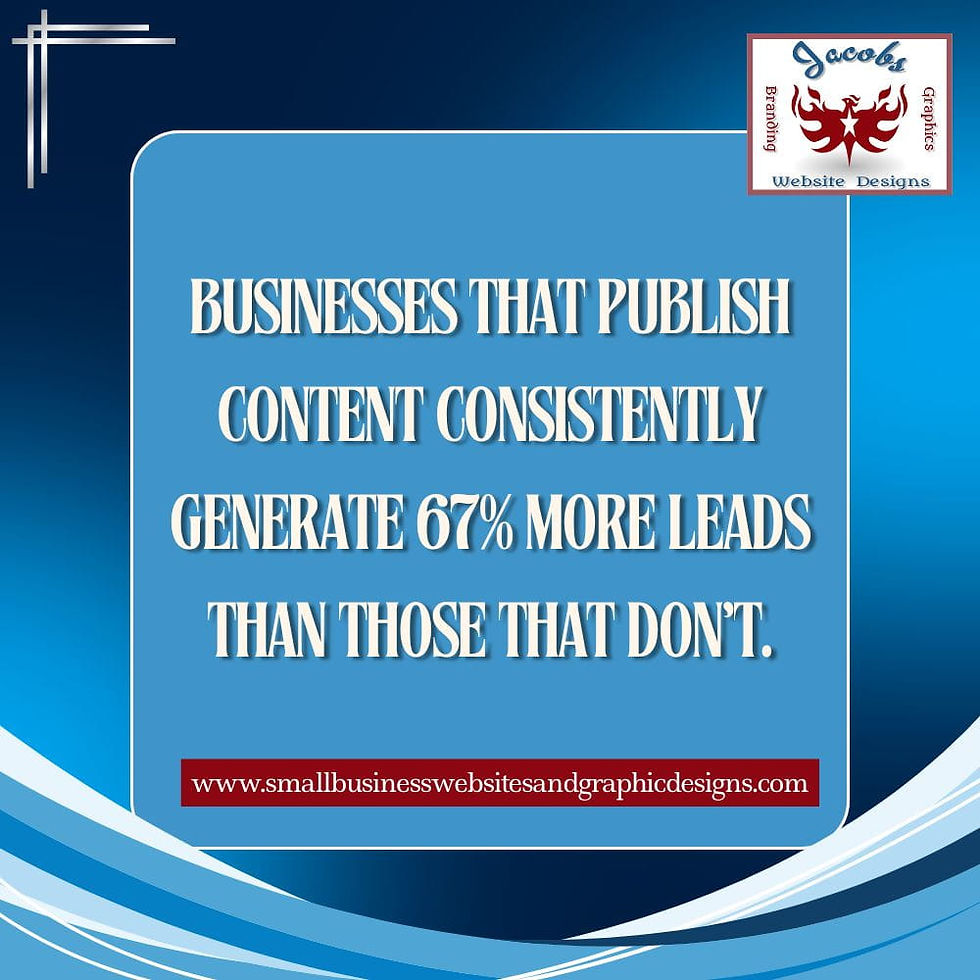
According to HubSpot, companies that publish consistently generate 67% more leads than those that don’t.
Nonprofits are no different.
2. Missed Growth Opportunities
Limited capacity means:
Fewer partnerships
Missed grant deadlines
Lower donor engagement
Every missed touchpoint is a missed opportunity to grow.
3. Burnout and Team Overwhelm
Nonprofit burnout is real.
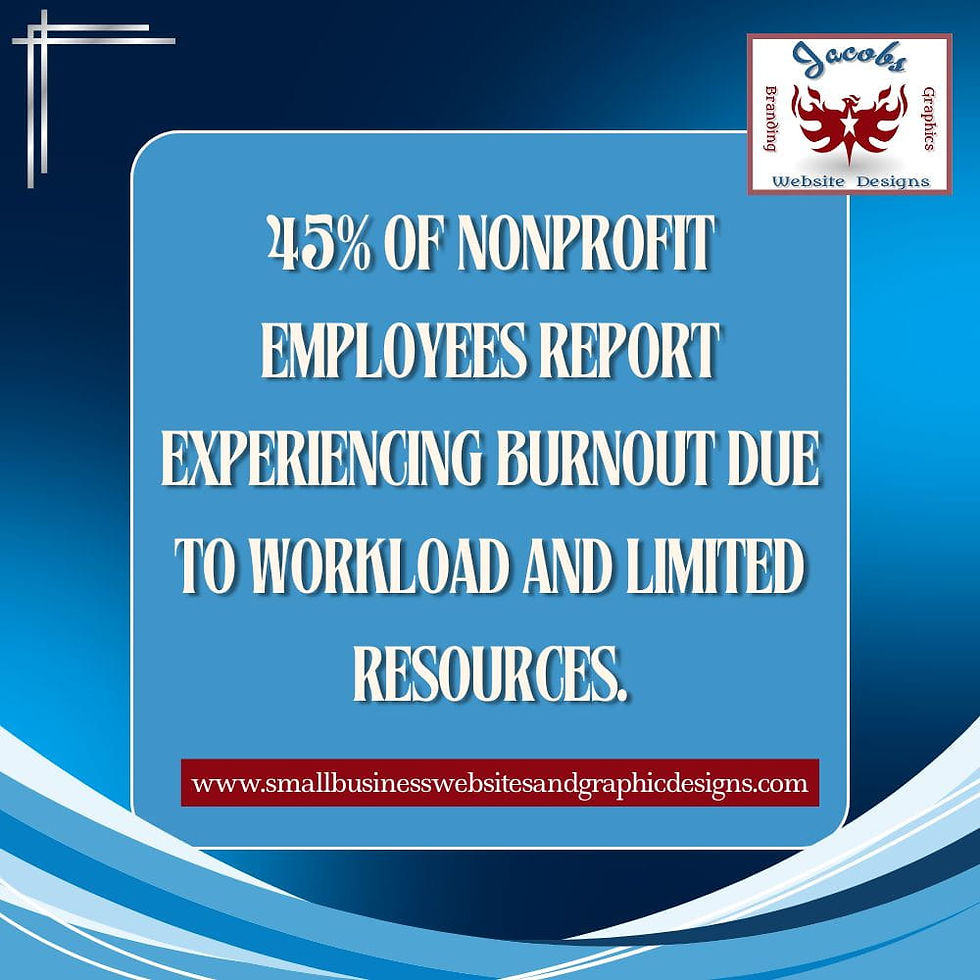
A study by Nonprofit HR found that nearly 50% of nonprofit employees experience burnout due to workload and stress.
Signs include:
Decreased motivation
Increased turnover
Lower quality output
Burnout is not just “feeling tired.” The World Health Organization describes it as a workplace
phenomenon tied to chronic job stress that has not been successfully managed.
4. Constantly Starting From Scratch
Without templates or systems:
Every campaign feels like a new project
Content creation takes longer
Teams reinvent the wheel repeatedly
This drains both time and energy.
5. Reactive Instead of Strategic Work
Instead of planning ahead, teams operate in “catch-up mode”:
Posting last-minute content
Responding instead of leading
Prioritizing urgency over importance
6. Underutilized Tools and Platforms
Many nonprofits invest in tools they barely use:
Email marketing platforms
CRMs
Social scheduling tools
Without systems, these tools become underused assets.
7. Difficulty Maintaining Momentum
Start-stop cycles are common:
Campaign launches… then stalls
Social media bursts… then silence
Initiatives fade before results
Momentum is hard to build—and even harder to sustain without structure.
💭Why Nonprofit Marketing Feels Especially Hard With a Small Team
Marketing is one of the first areas impacted by limited staff capacity.
Too Many Platforms, Not Enough Focus
Nonprofits often try to be everywhere:
Instagram
Facebook
LinkedIn
Email newsletters
But without focus, effort gets diluted.
Lack of Clear Priorities
Without a defined strategy:
Teams don’t know what matters most
Effort gets scattered
Results become inconsistent
Content Creation Takes More Time Than Expected
Creating content from scratch every time is exhausting.
This includes:
Writing posts
Designing graphics
Planning campaigns
Without templates, even simple tasks become time-consuming.
♦The Real Problem: Lack of Systems, Not Lack of Effort
This is the turning point.
Most nonprofits believe they need:
More time
More staff
More resources
But the real solution is better systems.
Why One-Off Efforts Don’t Work Long-Term
Random acts of marketing don’t build momentum.
Consistency requires:
Repeatable workflows
Clear processes
Defined timelines
How Systems Reduce Decision Fatigue
When processes are documented:
Decisions become easier
Tasks become predictable
Teams move faster
Why Templates Save Time and Energy
Templates allow you to:
Reuse proven formats
Maintain consistency
Reduce creative fatigue
✍How Limited Staff Capacity Impacts Growth and Visibility
The long-term impact is significant.
Reduced Donor Engagement and Awareness
If communication is inconsistent:
Donors forget about your mission
Engagement drops
Donations decline
According to the Fundraising Effectiveness Project by the Association of Fundraising Professionals, donor retention rates remain a major challenge, making consistent communication more critical than ever.
Lower Consistency Across Platforms
Without coordination:
Branding becomes inconsistent
Messaging varies
Audience trust weakens
Difficulty Building Trust and Credibility
Trust requires visibility.
And visibility requires consistency.
✅Signs Your Nonprofit Is Struggling With Capacity (Even If You Haven’t Labeled It Yet)
If any of these feel familiar, capacity may be the issue:
Marketing Feels Like an Afterthought
It’s always the first thing pushed aside.
You’re Always “Catching Up”
Work feels reactive instead of proactive.
You Don’t Have Time to Plan Ahead
There’s no clear roadmap.
Tasks Take Longer Than They Should
Simple things feel unnecessarily complex.
❌What Most Nonprofits Get Wrong About Fixing This Problem
Trying to Do More Instead of Simplifying
Adding more tasks increases overwhelm.
Adding More Tools Without Systems
Tools without processes = confusion.
Expecting Consistency Without Structure
Consistency isn’t about discipline—it’s about design.
💪What Actually Helps: A Shift Toward Simplicity and Systems
Here’s what works:
Focusing on Fewer, High-Impact Activities
Prioritize what drives results
Eliminate low-value tasks
Creating Repeatable Processes
Document workflows
Standardize execution
Using Templates Instead of Starting Over
Save time
Improve consistency
As explained in this introduction to usability and systems thinking by Nielsen Norman Group, simple, repeatable processes significantly improve efficiency and reduce cognitive load.
⚖How to Build Systems That Actually Work for Small Nonprofit Teams
Now that we’ve covered what works conceptually, let’s look at how to actually implement systems in a real-world nonprofit setting.
If systems are the solution, the next question becomes:
What does that actually look like in practice?
The good news? You don’t need complex tools or a large team to build effective systems. You just need clarity, consistency, and a simple framework.
Let’s break it down.
Start With One Core Area (Not Everything at Once)
One of the biggest mistakes nonprofits make is trying to “fix everything” at once.
Instead, focus on one high-impact area, such as:
Social media content
Email marketing
Donor outreach
Event promotion
Why this works:
It prevents overwhelm
It allows quick wins
It builds momentum
Once one system is working, you can expand.
Document What You’re Already Doing
You don’t need to reinvent your workflow—you just need to capture it. Standing Operating Procedures (SOPs) will save you hours every week.
Start by asking:
What tasks do we repeat weekly or monthly?
What steps are involved?
Who is responsible?
Then turn those into simple checklists.
Example: Social Media Workflow
Step | Task | Owner | Frequency |
1 | Plan content topics | Marketing lead | Monthly |
2 | Write captions | Team member | Weekly |
3 | Design graphics | Volunteer/designer | Weekly |
4 | Schedule posts | Admin | Weekly |
This turns chaos into clarity.
Create a Simple Content Calendar
A content calendar is one of the highest ROI systems you can implement.
Instead of asking “What should we post today?”
You’ll know exactly what’s coming next.
Basic Monthly Content Structure:
Week 1: Mission-focused story
Week 2: Impact/results update
Week 3: Donor or volunteer spotlight
Week 4: Call-to-action (donate, sign up, attend)
This eliminates daily decision-making and builds consistency.
Use Templates to Eliminate Rework
Templates are one of the fastest ways to reduce workload.
Create reusable formats for:
Social media posts
Email newsletters
Donation campaigns
Event announcements
Example Email Template:
Opening story
Impact statement
Call-to-action
Closing gratitude
Instead of starting from scratch, you’re simply filling in the blanks.
⌛A Practical Example: Before vs After Systems
Let’s look at how this transformation plays out in real life.
Before Systems
Social posts created last minute
Emails sent inconsistently
Team unsure of priorities
Constant stress and catch-up
After Systems
Content planned monthly
Emails scheduled in advance
Clear roles and responsibilities
Reduced stress and improved output
The difference isn’t effort—it’s structure.
🎯How to Prioritize When Everything Feels Important
One of the hardest parts of limited staff capacity is deciding what not to do.
Here’s a simple prioritization framework:
The 3-Level Priority System
Level 1: Must Do (High Impact)
Donor communication
Key campaigns
Core programs
Level 2: Should Do (Growth Activities)
Social media consistency
Email list building
Partnerships
Level 3: Nice to Have (Low Impact)
Extra platforms
Experimental content
Non-essential admin tasks
👉 Focus on Levels 1 and 2 first.
Everything else comes later.
🔎The Role of Leadership in Solving Capacity Challenges
Leadership plays a critical role in breaking the cycle of overwhelm.
It’s not just about assigning tasks—it’s about creating clarity.
Set Realistic Expectations
Many nonprofit leaders unintentionally expect:
Daily content
Frequent campaigns
High engagement across platforms
But with limited staff, this isn’t sustainable.
Instead:
Focus on consistency over frequency
Choose 2–3 core channels
Align efforts with capacity
Normalize Simplicity Over Complexity
Simple systems outperform complex ones every time.
Encourage your team to:
Use checklists instead of memory
Reuse templates instead of reinventing
Focus on clarity instead of perfection
Build a Culture of Sustainability
Burnout doesn’t just hurt people—it hurts your mission.
Sustainable teams:
Work at a consistent pace
Have clear processes
Know what success looks like
⚙Tools That Support Systems (Without Adding Overwhelm)
Tools should support your workflow—not complicate it.
Here are a few categories that work well for small teams:
Content Planning Tools
Trello
Google Workspace
Notion
Social Media Scheduling
Buffer
Missinglettr
Later
Email Marketing
Mailchimp
Brevo
Constant Contact
👉 The key is not to use all of them—just choose one per category.
➡How to Measure Improvement Without Adding Extra Work
You don’t need complex analytics dashboards to track progress.
Focus on a few simple metrics:
Marketing Metrics
Posting consistency (weekly/monthly)
Email open rates
Engagement (likes, comments, shares)
Operational Metrics
Time spent on tasks
Task completion rates
Team workload balance
Growth Metrics
Donor retention
New subscribers
Website visits
Even small improvements in these areas signal progress.
💻How This Connects to Your Overall Digital Strategy
Limited staff capacity isn’t just an operational issue—it’s a digital strategy problem.
Limited Capacity Is a Core Digital Challenge
Your website, email, and social media all rely on:
Consistent input
Clear messaging
Strategic planning
Without capacity, these areas suffer.
Why Solving This Improves Everything Else
When systems are in place:
Marketing becomes consistent
Outreach improves
Growth becomes predictable
🌟Conclusion: It’s Not About Doing More—It’s About Doing What Works
Here’s the truth:
Nonprofits don’t fail because they lack passion.
They struggle because they lack structure.
Limited staff capacity isn’t just a staffing issue—it’s a systems issue.
When you shift from:
Doing more → Doing what matters
Starting from scratch → Using templates
Reacting → Planning
Everything changes.
Growth becomes possible.
Consistency becomes achievable.
And your mission gets the visibility it deserves.
✨FAQs
Why do nonprofits struggle with staffing?
Limited funding and prioritization of program expenses over operations often reduce hiring capacity.
How does limited staff affect marketing?
It leads to inconsistency, missed campaigns, and reduced visibility.
Can nonprofits succeed with small teams?
Yes—if they use systems, templates, and clear priorities.
What is the biggest mistake nonprofits make with limited staff?
Trying to do too much instead of simplifying.
How can nonprofits improve efficiency without hiring?
By implementing systems, using templates, and focusing on high-impact tasks.
What should nonprofits prioritize first?
Clarity—define priorities, processes, and consistent workflows.


Comments