


Simple Productivity Systems Every Small Business Can Set Up in a Week

Updated: Apr 26

Key Takeaways
Productivity systems don’t have to be complex — simplicity is your secret weapon.
You can implement five foundational systems in just seven days.
Streamlined workflows save time, reduce stress, and boost creativity.
Automation and structure empower people — they don’t replace them.
The best systems are flexible, evolving as your business grows.
Table of Contents
👉Why Simple Productivity Systems Work (and Complicated Ones Don’t)
Most small business owners and nonprofit leaders are busy — really busy. Between managing clients, responding to emails, organizing events, and keeping up with marketing, you can easily feel like you’re treading water instead of swimming forward.
That’s why the idea of implementing a “system” can feel intimidating. But here’s the truth: you don’t need a complicated system to get organized — you just need a clear one.
A productivity system isn’t a new app or an expensive subscription. It’s a repeatable, reliable way of working that helps you save time and reduce mistakes.
For example:
Creating a shared folder for all your client files is a system.
Using one tool to manage your tasks instead of sticky notes is a system.
Automating your meeting scheduling? That’s a system too.
According to Asana’s 2024 Anatomy of Work Report, workers waste 58% of their time on “work about work” — checking email, searching for information, and switching between tools.
That means more than half of your day isn’t spent doing the work that actually moves your business forward.
Simpler systems give you back that time. They keep your brain — and your business — focused on the right things.
Simple systems are a great place to start, but they work even better when they are part of a bigger productivity framework. If you want to understand how structure, documentation, tools, team culture, branding, and communication all work together, read my full guide to small business productivity systems that save time and strengthen your business.
The “One-Tool-Per-Purpose” Rule
Here’s a golden rule for every small business or nonprofit:
Use one tool per purpose, not ten tools doing the same thing.
Multiple apps often overlap and cause confusion. The more tools you have, the more likely someone on your team won’t use them properly (or at all).
Function | Recommended Tools | Why It Works |
Task Management | Trello, Asana, Google Space | Keeps all-to-dos in one central location |
File Storage | Google Drive, Dropbox | Organizes documents and media |
Communication | Slack, Microsoft Teams, Google Chat/Space | Consolidates team discussion |
Scheduling | Calendly, Google Calendar, Elfsight | Automates meeting scheduling |
Design | Canva, Adobe Express | Keeps branding consistent across materials |
Start simple — you can always upgrade later. Complexity kills consistency, and consistency is what makes systems powerful.
Forbes reported that businesses that simplify their workflows and communication can see up to 30% improvements in productivity.
So before you download another app, ask: “Does this tool make my day simpler or busier?”
📗Day 1–2: Create a Centralized Task Management System
If your tasks live across emails, sticky notes, and random thoughts, you’re wasting valuable mental energy.
A centralized task management system is your productivity foundation — it’s where every to-do, idea, and project lives.
Even if you’re a solo business owner, this one change can transform your week.
Step 1: Choose Your Platform
You don’t need something expensive — just something you’ll actually use.
Trello → Best for visual learners who love drag-and-drop boards.
Asana → Perfect for checklist lovers who like structure.
Google Spaces → Great for multitaskers who like all systems on one platform
If you’re unsure, try one for seven days. Most have free versions that are more than enough.
Step 2: Create Simple Boards or Lists
Structure your board into three sections:
To Do → In Progress → Completed
Then, add your tasks. Don’t overthink it — just list what’s on your plate this week.
Example setup:
Task | Owner | Due Date | Status |
Redesign homepage banner | You | Monday | In Progress |
Email donor thank-you notes | Morgan | Wednesday | To Do |
Schedule Instagram posts | Jamie | Friday | Done |
This visual format lets you see progress at a glance.
Step 3: Use the 5-Task Rule
Keep no more than five “In Progress” tasks open at any time.
This limits overwhelm and forces prioritization.
When something finishes, move it to “Done” — that satisfaction is motivation in itself.
According to Harvard Business Review, visible progress is one of the top three motivators for sustained employee engagement.
Even if your “team” is just you, seeing movement builds momentum.
Most platforms allow recurring tasks.
Set a daily reminder to review your board and a weekly reminder for planning.
This habit keeps things running smoothly without you micromanaging your own brain.
After two days, you’ll already feel lighter — no more “what am I forgetting?” stress hanging over your head.
✅Day 3: Organize Your Files and Documents (The 15-Minute Rule)

A messy computer is the enemy of productivity.
If your files are scattered across your desktop, email, and half a dozen drives, you’re silently wasting hours each week.
McKinsey found that employees spend an average of 1.8 hours every day searching for and gathering information.
That’s nine hours a week — more than a full workday — just looking for stuff.
How to Fix It Without Losing a Weekend
Instead of one huge cleanup, apply the 15-Minute Rule:
Spend 15 minutes per day organizing one section of your files.
Here’s a simple schedule:
Monday: Client folders
Tuesday: Marketing materials
Wednesday: Templates
Thursday: Financial documents
Friday: Backups and archiving
By the end of the week, you’ll have an organized digital workspace — and you won’t have lost your sanity in the process.
Example File Structure:
Folder | Subfolders | Description |
Clients | [Client Name] → Invoices / Assets / Deliverables | Keeps all client-related items together |
Marketing | Social/Blog/Email/Ads | Central place for all content |
Operations | Contracts/Reports/SOPs | Core business files |
Templates | Canva/Reports/Presentations | Saves time on repeat tasks |
Use clear, date-based names like:
Client_Project_MMYY_v1 → SmithDesign_Logo_0426_v1.
Consistency makes it easier for anyone to find what they need — especially if you have a team or volunteers.
The “Digital Friday Reset”
At the end of each week, spend 10 minutes doing three things:
Save all new files in the right folders.
Delete duplicates or temporary downloads.
Back up to Google Drive or Dropbox.
This one small habit keeps your systems organized indefinitely.
A simple marketing graphics system can also save hours. Instead of recreating social media visuals every time you have a promotion, announcement, event, or service spotlight, you can use branded campaign graphics that already match your business. My social media marketing campaign graphics packages are designed to help small businesses promote specific campaigns with consistent, professional visuals.
📌Day 4–5: Build a Team Communication Framework

If your team’s communication feels like herding cats, you’re not alone.
Small teams and nonprofits often overcommunicate in the wrong channels — 20 emails about one small issue or three meetings that could have been a message.
A team communication system ensures everyone knows where to talk and how to respond.
Step 1: Choose One Main Channel
Keep it simple:
Slack or Google Chat for quick daily discussions.
Microsoft Teams or Google Space for structured communication.
Email or Google Space for clients or external partners.
If you have volunteers, consider GroupMe or WhatsApp for short updates.
Step 2: Create Communication Rules
Clearly define what belongs where. Here’s an example framework:
Message Type | Tool | Response Time | Notes |
Urgent (same day) | Google Chat | 2 hrs | Quick check-ins or issues |
Project updates | Asana/Google Space | 24 hrs | Use comments to keep context |
Client or donor messages | 48 hrs | For external communication | |
General updates | Team meeting | Weekly | For discussions, not tasks |
This structure reduces message overload and confusion — everyone knows exactly where and how fast to communicate.
Step 3: Streamline Meetings
Harvard Business Review found that 71% of meetings are unproductive and over 60% of workers report that meetings interrupt deep work.
Try this instead:
Hold one short weekly check-in (20–30 minutes).
Limit participants to only those who need to be there.
End every meeting with clear next steps added to your task board.
That alone can save your team hours each week.
Step 4: Encourage Transparency
Great communication isn’t about control — it’s about clarity.
Post updates where everyone can see them.
When everyone understands priorities, morale rises.
That’s real productivity: less guessing, more doing.
Clear communication systems are especially powerful because they reduce the need for constant check-ins. When everyone knows where to find updates, what channel to use, and what is expected, productivity starts to feel supportive instead of controlling. For more on that balance, read how better productivity encourages team members without micromanaging.
🌟Day 6: Automate One Repetitive Task
Automation can sound intimidating, but it’s really just a fancy word for “saving time automatically.”
You’re already automating without realizing it — like using email filters or scheduled social posts.
The goal is to identify one recurring, low-value task you can set to autopilot this week.
Examples of Small Business Automation Wins
Task | Tool | Time Saved |
Appointment scheduling | Google Calendar, Elfsight | 30-60 minutes a day |
Social Media Scheduling | Buffer or Missinglettr | 3-5 hours per week |
Follow-up emails | Mailchimp or Brevo | 1-2 hours per week |
Invoice reminders | Quickbooks, Wix Payments | 1 hour per week |
Data collection | Google Form, Wix Forms, Jotform | 2-3 hours per week |
Automation saves you from decision fatigue and helps you focus on higher-impact work — like strategy, creativity, and customer relationships.
Example: Real Nonprofit Transformation
One local arts nonprofit I helped was manually emailing 60+ volunteers each week for event updates.
We created a Google Form connected to an auto-updating Google Sheet, then used Gmail templates for reminders.
It took one afternoon to set up — and now the system runs itself.
They save about six hours per week, which they now spend planning programs instead of sending reminders.
Automation doesn’t replace people — it helps them do more of what matters.
Your website should be part of your productivity system too. Regular updates, fresh content, working links, clear forms, and secure functionality help prevent small issues from turning into time-consuming problems. If maintaining your site keeps falling to the bottom of your list, my website maintenance packages can help you keep your website organized, updated, and working properly without adding another task to your week.
Once you automate one repetitive task, look for other places where small time-saving habits can add up. If busy work, context switching, or manual admin still keep pulling you away from your most important work, these time-saving productivity tips for small business owners can help you protect more of your week.
🔎Day 7: Review, Refine, and Celebrate Wins
By now, you’ve built several simple productivity systems — and your week probably feels lighter already.
Now it’s time to make these habits stick.
Step 1: Reflect
Ask yourself and your team:
What worked best this week?
What felt complicated or unnecessary?
Did communication improve?
Write down your answers — this review becomes your improvement guide.
Step 2: Refine
Don’t overhaul everything at once.
Tweak one system per week — maybe rename folders, simplify Trello boards, or adjust automation settings.
Step 3: Celebrate Small Wins
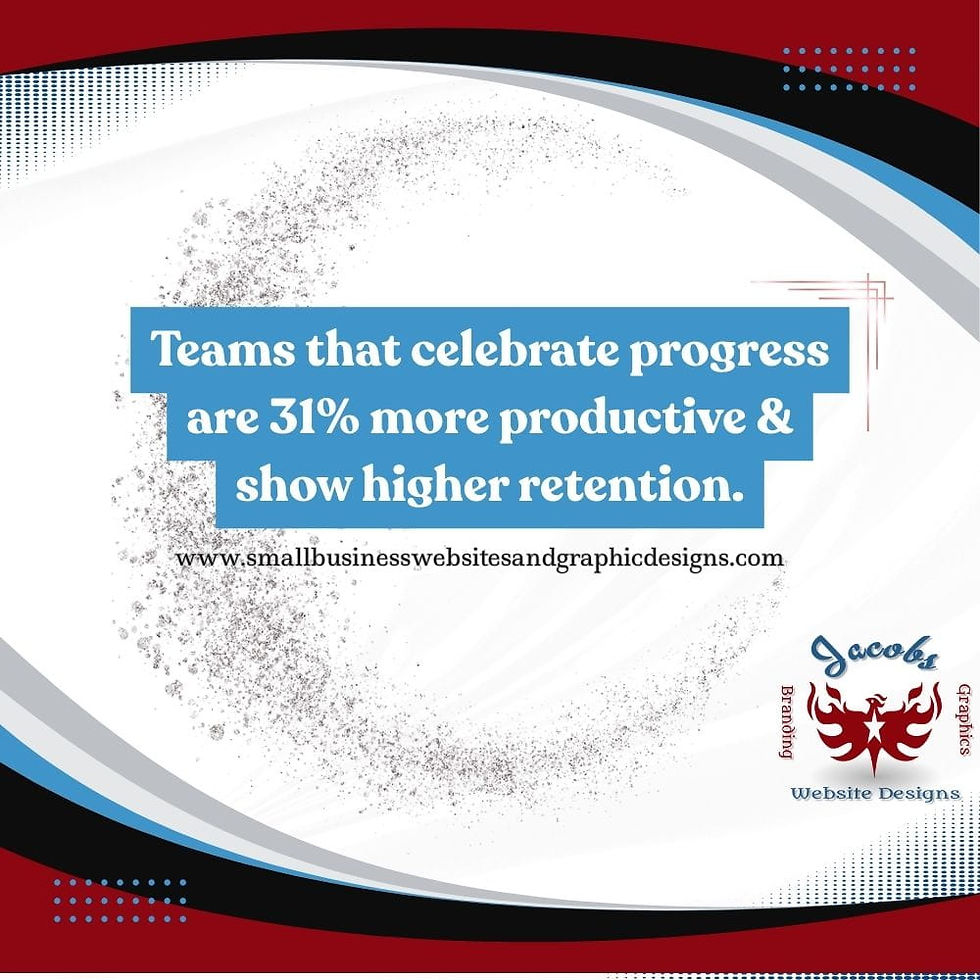
According to Gallup, teams that regularly celebrate progress are 31% more productive and show higher retention.
So take a moment to recognize what’s working.
Even a small improvement — like cutting your email time by 20% — is worth celebrating.
It’s those small, steady wins that compound into massive results.
♦Common Mistakes to Avoid
Mistake | Why It Happens | Solution |
Too many tools | Shiny-object syndrome | Use one tool per function |
Overcomplicating workflows | Trying to be perfect | Start simple; refine later |
Skipping documentations | "We'll remember later" | Write it down immediately |
No team buy-in | Top-down decisions | Ask for feedback early |
Ignoring maintenance | "Set it and forget it" mindset | Schedule regular reviews |
Productivity systems aren’t “set once” — they evolve.
The simpler they start, the easier they are to sustain.
🤝Summary
Setting up simple productivity systems doesn’t require fancy tech or a consultant. It just takes consistency and intention.
In one week, you’ve built:
A central task hub that brings clarity.
A file system that saves time.
A communication framework that reduces confusion.
A bit of automation that reclaims your hours.
A review routine that keeps it all sustainable.
These systems don’t just make your business more efficient — they make it calmer, smarter, and more enjoyable.
Because true productivity isn’t about working faster.
It’s about working freer — so you can focus on the parts of your business that matter most. Check out my post Small Business Productivity: Practical Systems That Save Time, Energize Teams, and Strengthen Your Business for in-depth information.
If you are not sure whether your website needs maintenance, updates, or a more organized structure, reach out and share what feels hard to keep up with.
✨FAQs
What’s the best system to start with?
Task management — it gives you the fastest clarity and biggest results with the least effort.
Can solopreneurs really benefit from systems?
Absolutely. Systems reduce decision fatigue and keep you organized when you’re wearing every hat yourself.
Do I need to pay for premium tools?
No. Most free versions of tools like Trello, Google Drive, and Slack are powerful enough for small teams.
How can I make sure my team actually uses these systems?
Train them briefly, get their input, and explain the “why.” When people see how it helps them, adoption skyrockets.
How often should systems be reviewed?
Lightly each week and thoroughly each quarter. Continuous improvement keeps systems relevant and strong.


Comments